
If a user is automatically being assigned to or seeing Work Orders across Infraspeak, it is usually related to how their profile, permissions, or routing rules are configured.
TABLE OF CONTENTS
- 1. Auto-Assignment by Work Order Type
- 2. Unrestricted Profile Access
- 3. Operator Profile Logic
- 4. Gear AI Automations
- 5. "Participant" Status
1. Auto-Assignment by Work Order Type
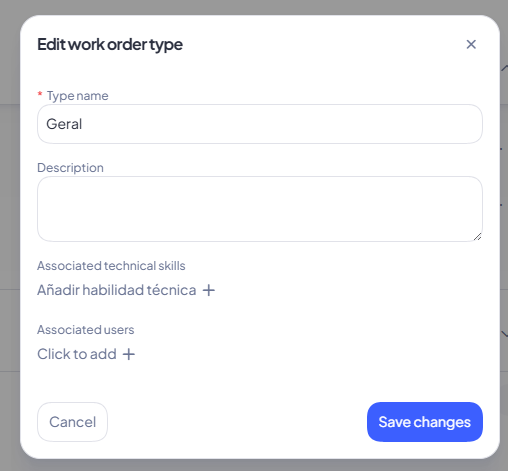
The user (or their specific Technical Skill) might be set as a default assignee for certain types of tasks.
How to fix it:
Go to Settings > Work Orders > Areas and Types, select the specific type, and uncheck their name or skill from the assignment list.
2. Unrestricted Profile Access
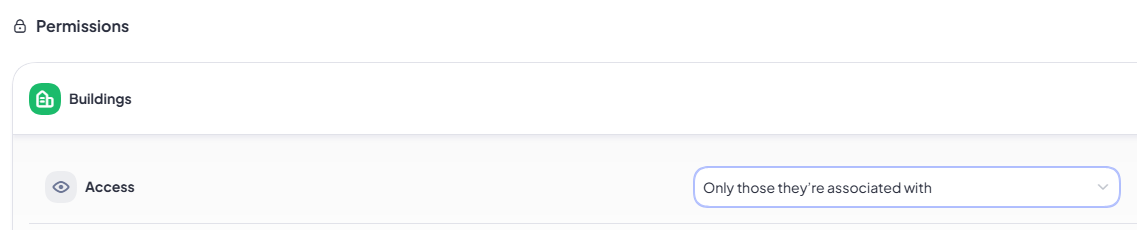
The user's global access settings might be too broad.
How to fix it:
Go to Settings > Users and review their general access. If their access is set to "view all Buildings and Equipment" rather than being restricted to specific ones, they will see all Work Orders.
Note: Administrator profiles have global access to the entire entity by default and cannot be restricted.
3. Operator Profile Logic
If the user has an Operator profile, their visibility is tied directly to locations.
How it works:
The system automatically grants Operators access to every single Work Order and Planned Job that exists within their assigned locations. To restrict their view, you must adjust their location assignments.
4. Gear AI Automations
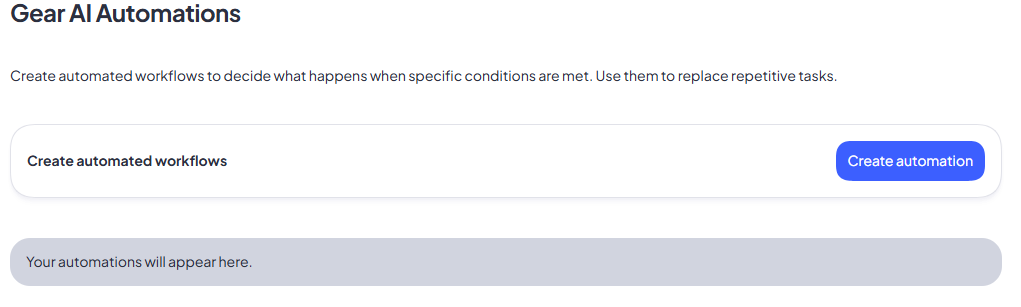
An active background automation rule might be triggering these assignments.
How to fix it:
Review your active workflow rules under Settings > Automations. Check if there is a rule assigning this user to Work Orders whenever specific conditions are met (e.g., when an urgent priority is selected).
5. "Participant" Status
If a technician was previously assigned to a Work Order, performed an action (such as starting or pausing it), and was later removed as the "Responsible" person, they still remain a Participant.
How it works:
Because the user previously interacted with the job, the system keeps it visible on their mobile app for tracking purposes.
Still need help? If checking these settings does not resolve the issue, please reach out to our support team with the specific user's details, and we will gladly investigate their setup for you.