
There is no setting in Infraspeak that prevents a user from having more than one activity open at the same time. What you can configure is how the platform behaves when a user starts a new Work Order or Planned Job Order while others are still in progress.
This setting helps you keep time tracking accurate and ensures that the status of each activity reflects what the user is actually working on!
Step 1: Open your company settings
- Log in to the Infraspeak Web platform.
- In the main menu, go to Settings > My company > My company details.
- Wait for the page to load with all the available configuration options.
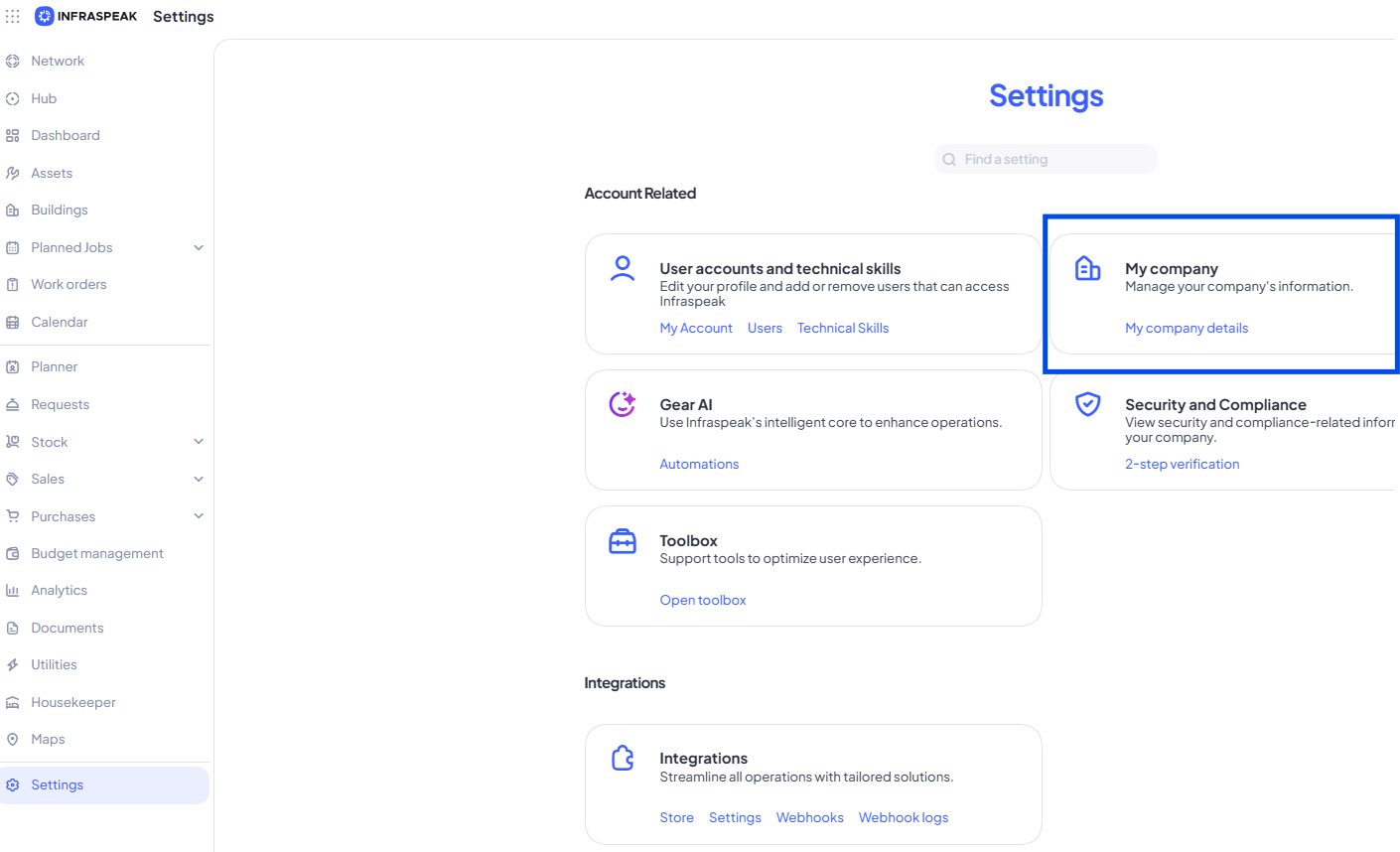
Tip: Only users with the right permissions will see the My company option. If you can't find it, check with your Administrator!
Step 2: Locate the Concurrent Work setting
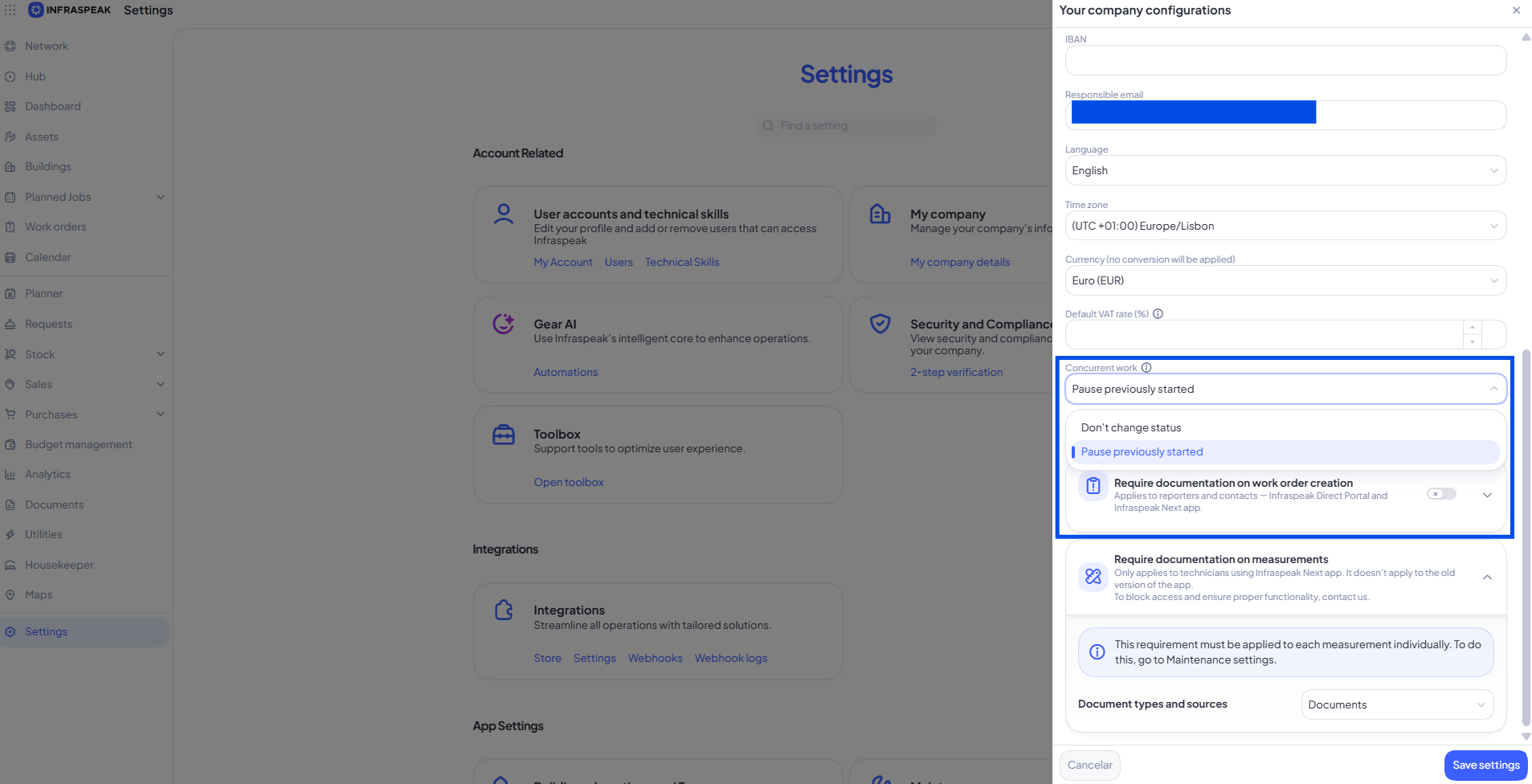
- Scroll through the company details page until you find the Concurrent work setting.
- Read the available options carefully so you understand how each one affects the user's active activities.
Tip: This setting applies to all users in your company, so consider how your team typically works before making a change.
Step 3: Choose how simultaneous work should behave
You can choose between two main behaviours:
- Pause previously started: When a user starts a new Work Order or Planned Job Order, any other activities in progress will automatically be paused.
- Keep the status unchanged: The user can have multiple activities running at the same time, and their status won't be affected when a new one is started.
Select the option that best matches how your team operates, and save your changes.
Tip: If your technicians often switch between tasks throughout the day, pausing previous work usually gives you a more accurate picture of where their time is being spent.
What happens next
Once you save the setting, it applies immediately to all users in your company. From that moment on, every time a user starts a new Work Order or Planned Job Order, the platform will follow the rule you selected. You can revisit this setting at any time and adjust it as your operational needs evolve. If you're unsure which option works best, try one for a short period and review how it affects your team's workflow and time tracking before deciding!