
When equipment is decommissioned, replaced, or no longer in active use, you might consider deleting it from the system. However, deleting an asset also removes its linked operational records.
The best practice in Infraspeak is to retire or deactivate the asset by updating its Maintenance Policy. If your Planned Jobs are configured to apply only to assets under an "In Service" policy, changing the asset's policy to "Out of Service" automatically stops future scheduled tasks from generating.
TABLE OF CONTENTS
Why Deactivating is Better Than Deleting
- 100% Data Preservation: All past Work Orders, tasks, measurements, cost allocations, and logs remain completely intact and searchable in your Asset History, reports, and analytics.
- No Accidental Maintenance: Changing the policy excludes the asset from scheduled routines linked to active policies, ensuring technicians won't receive new Planned Job Orders for decommissioned equipment.
Step-by-Step Guide
Step 1: Set Up "In Service" and "Out of Service" Maintenance Policies
In Infraspeak, asset statuses and operational states are managed through Maintenance Policies:
- On the web platform, go to Settings ➔ Maintenances.
- Open the Maintenance Category corresponding to your equipment type.
- Ensure you have policies defined for active and inactive states (e.g., "In Service" and "Out of Service" / "Retired").
Step 2: Update the Policy on the Asset Details Page
When an asset is decommissioned, simply update its policy:
- Navigate to the Assets app and open the specific asset details page.
- Change its Maintenance Policy to "Out of Service" (or "Retired").
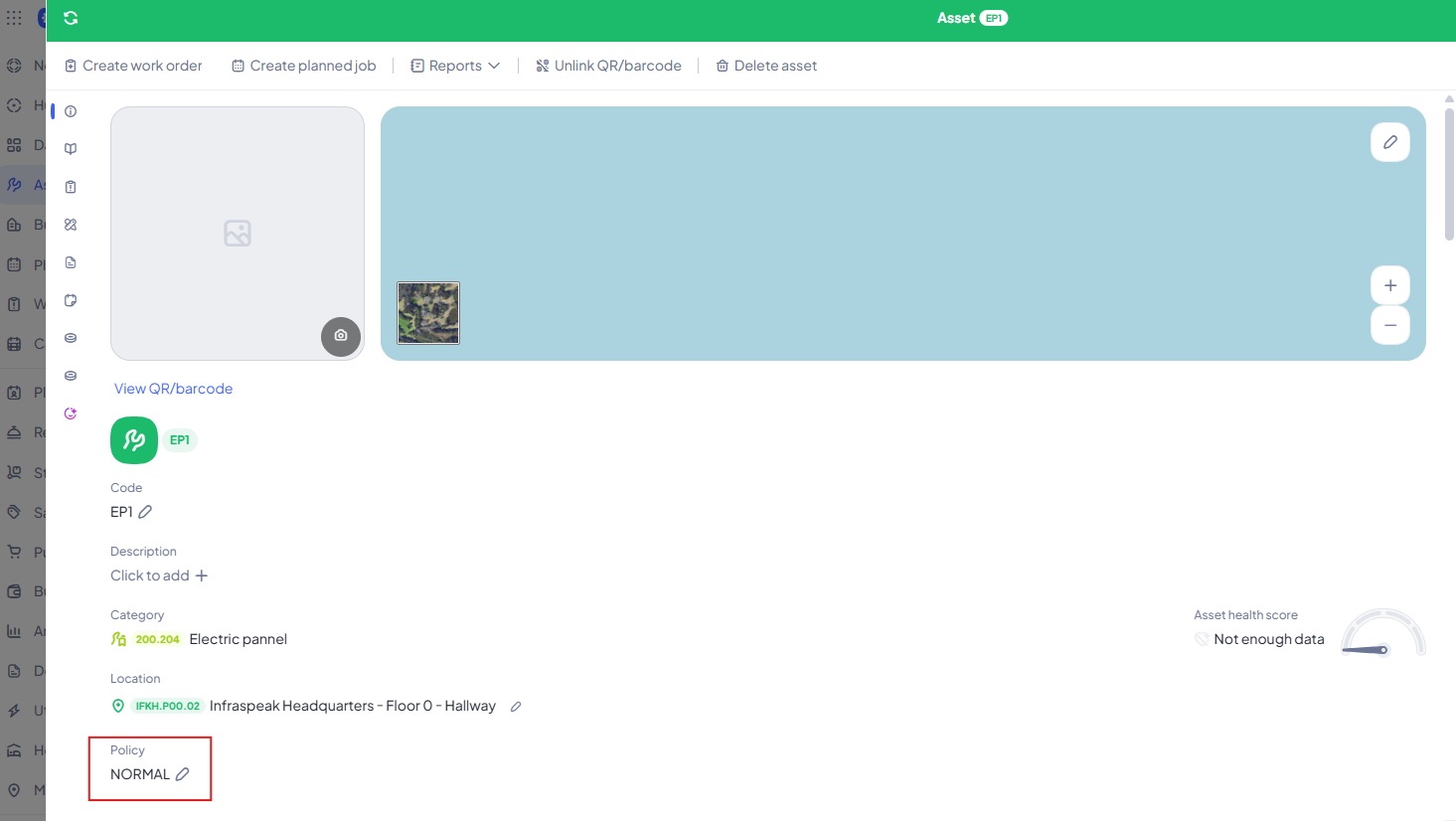
3. Save the changes.
Step 3: Link Planned Job Interventions to the Active Policy
When creating or editing a Planned Job (PMP) or Usage-Based Job:
- Select the required interventions/tasks.
- Edit the interventions and specify which Maintenance Policy they apply to (e.g., select "In Service").
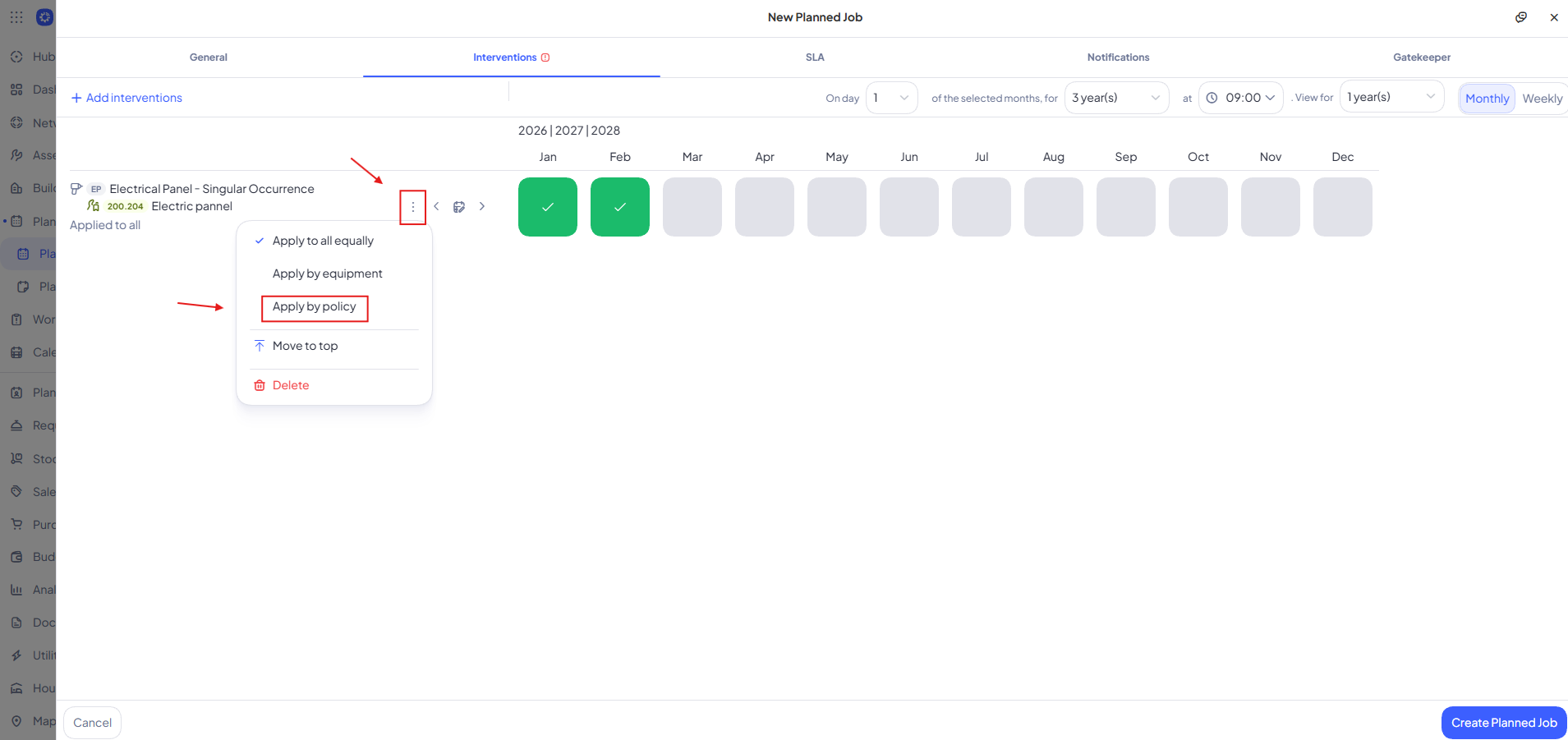
That's it! Because the Planned Job interventions are set to apply only to "In Service" equipment, changing the policy automatically stops the system from generating future Planned Job Orders for this asset.
What Happens Next?
Your asset is now officially retired! It remains safely stored in your database for auditing, historical reporting, and financial cost tracking, but it will automatically be excluded from active scheduled routines and daily operational workflows.